
How to configure API access?
The RCPonline API enables integration of external applications with the system, allowing process automation and real-time access to data. In this article, we’ll cover how to configure API access, generate authentication tokens, and how to make requests.
1. API page
Link to the API page:
https://api.rcponline.pl/
2. Creating an access account
To use the API, you first need to create an access account:
Feature path:
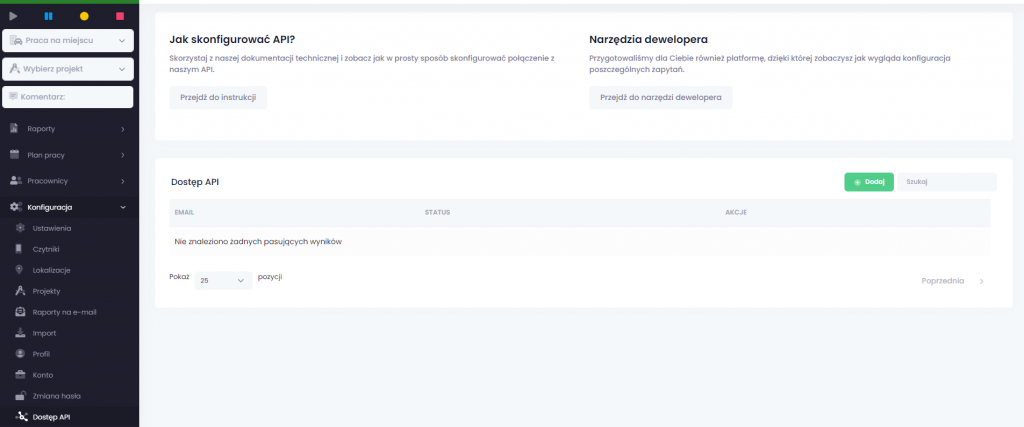
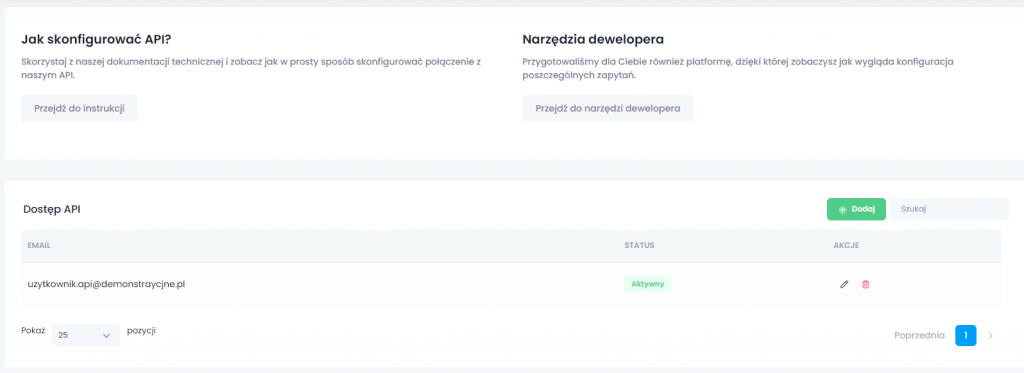
Configuration → API access → Add
- Fill in the fields:
- Email address: Enter the email address used for API authorization.
- Password: Set a password for the API account.
- Save the data – the user will appear on the list and their credentials will be ready to use.

3. Generating an authentication token
The authentication token is used to authorize requests in the API. To generate it:
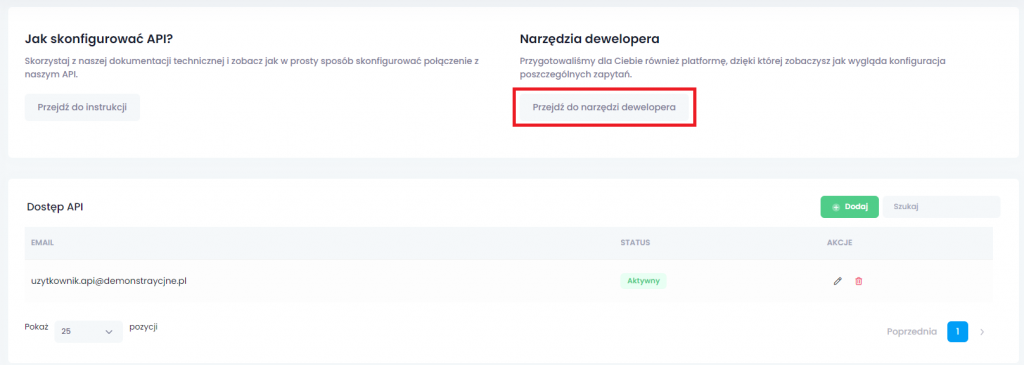
- Go to the developer tools:
- Click the “Go to developer tools” button in the system or use the link from the article.
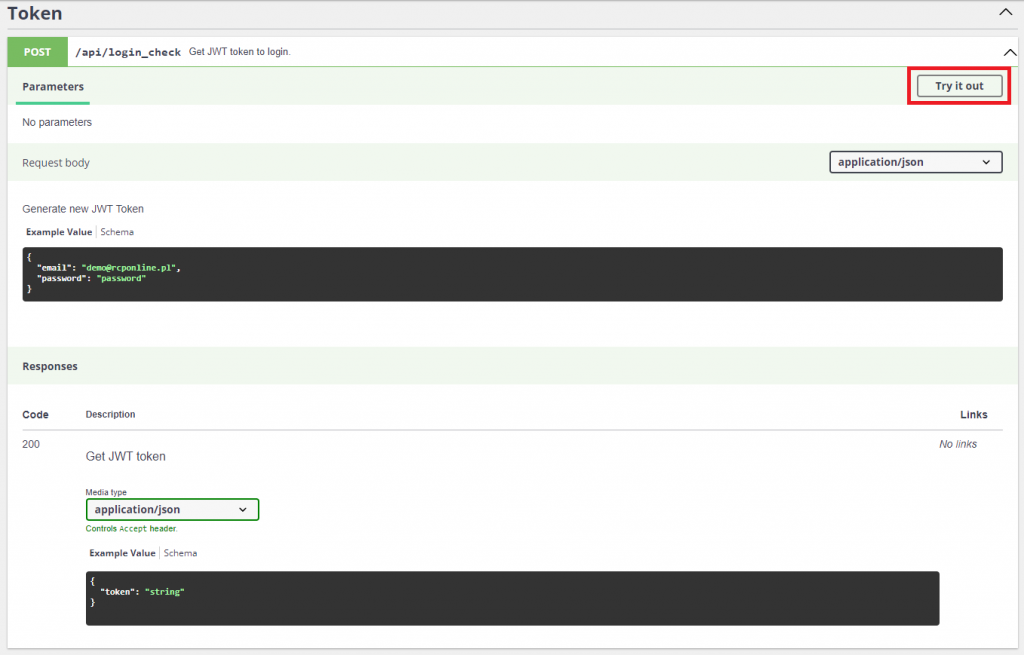
- In the developer tools, find the request labeled “token”.
- Click “Try it out”, fill in the fields with the user data created in step 2, and run the request.
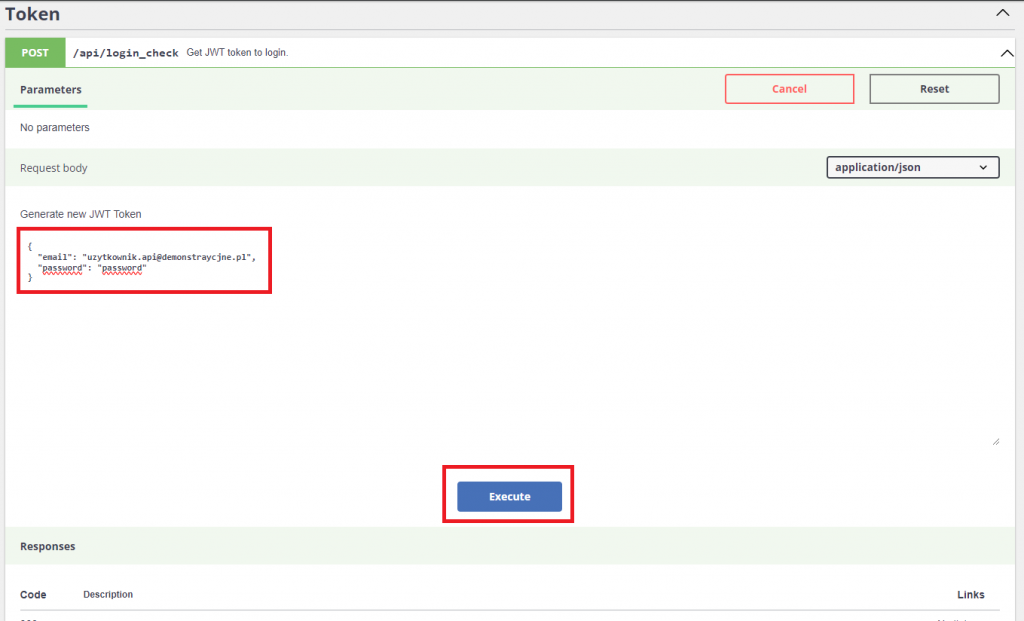 Example CURL request:
curl -X 'POST' \ 'https://api.rcponline.pl/api/login_check' \ -H 'accept: application/json' \ -H 'Content-Type: application/json' \ -d '{ "email": "[email protected]", "password": "password" }' Example response:
{ "token": "eyJ0eXAiOiJKV1QiLCJ...", "refresh_token": "49256a9d..." } 4. User authorization
After generating the token, you need to use it for authorization:
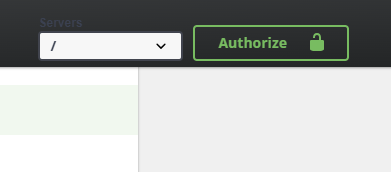
- Click the “Authorize” button in the top-right corner of the API page.
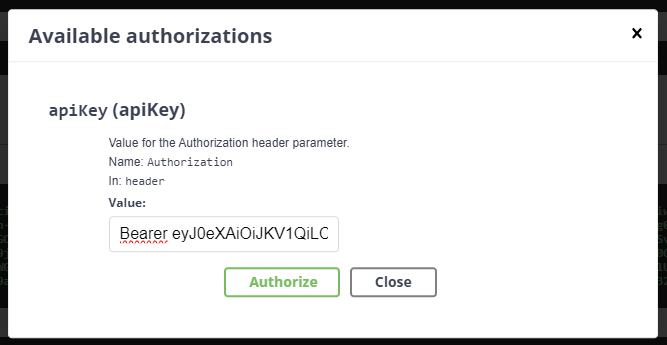
- Enter the token in the format:
Bearer [token] - Confirm authorization – now you can send API requests.
5. Sending API requests
To send a request:
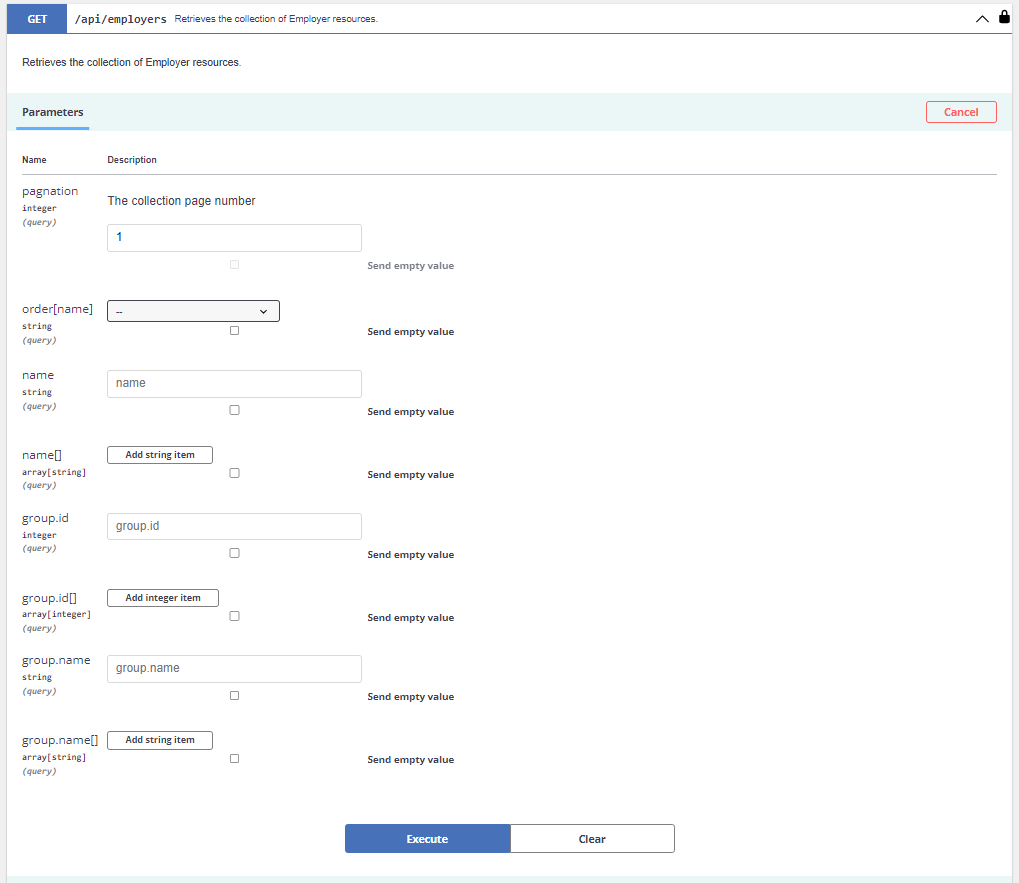
- From the menu, choose the data section you want to retrieve, e.g. Employer.
- Set filters to refine the request.
- Click the “Execute” button.
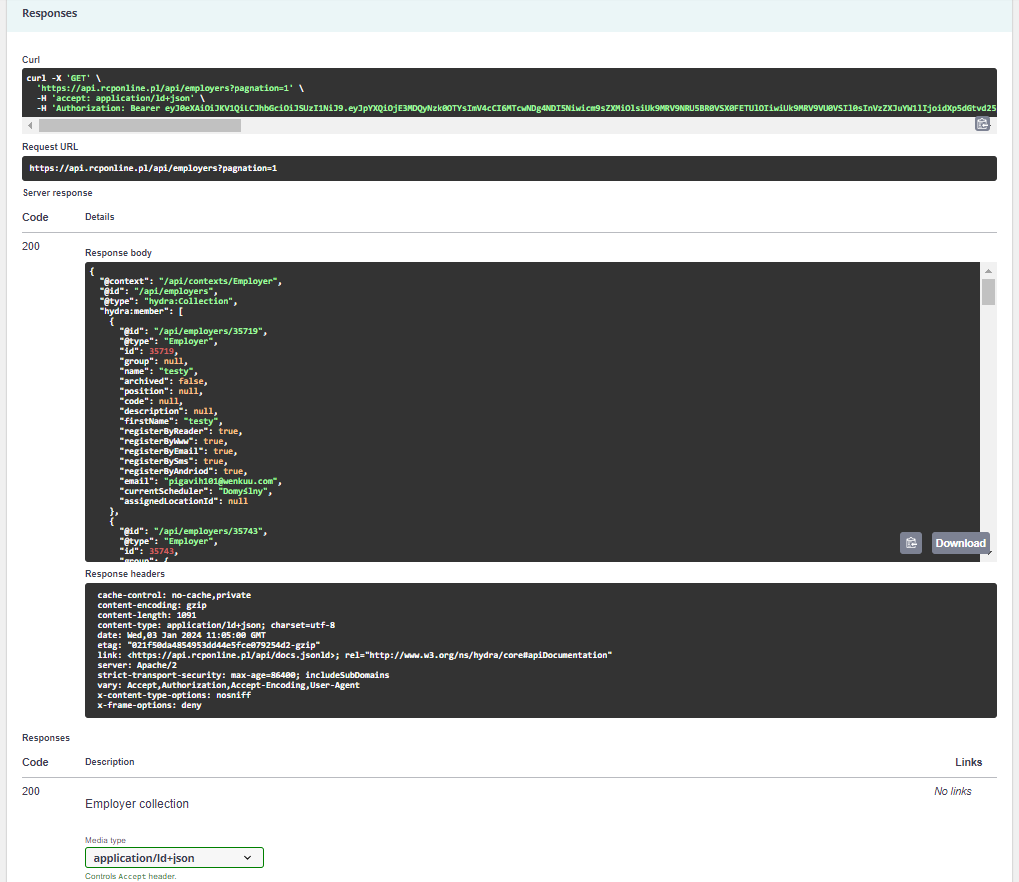
 Server response:
- CURL code: You can use it to automate requests in your application.
- Request URL: The endpoint address used by the request.
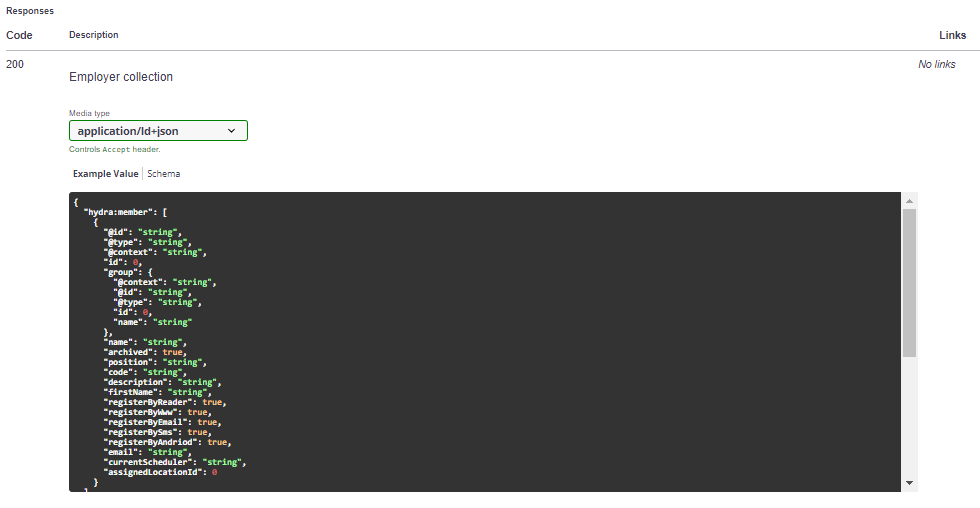
- Server response: Contains the data returned by the API.
📌 Tip
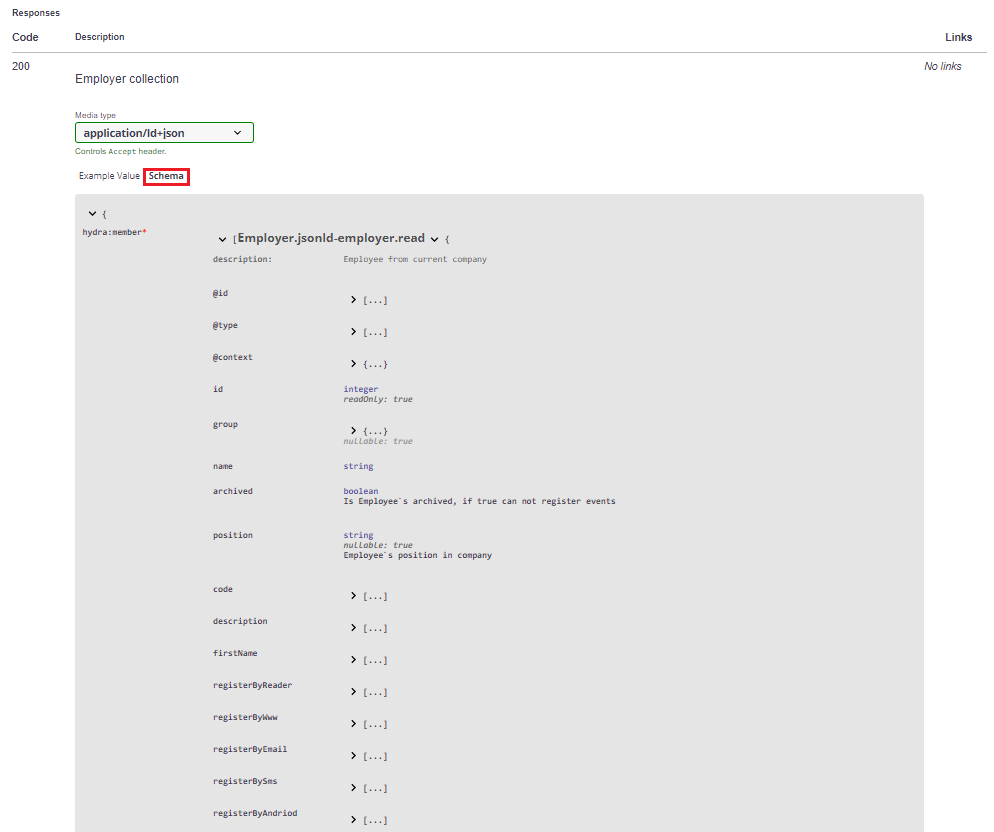
At the bottom of the page you’ll find a detailed description of response fields and example data.
6. Token refresh (Refresh Token)
Tokens are valid for a limited time:
- Token: 30 minutes.
- Refresh token: 1 month.
To refresh the token, you can use the following CURL request:
curl -X 'POST' \ 'https://api.rcponline.pl/api/token/refresh' \ -H 'accept: application/json' \ -H 'Content-Type: application/json' \ -d '{ "refresh_token": "fc4d42770decef9a287b..." }' 7. Common questions and tips
- Can I use multiple API accounts?
Yes, you can create multiple accounts with different access levels. - Can I automate requests?
Yes, by using the CURL code in external applications. - What data is available via the API?
All data visible in the developer tools – the full description can be found in the API documentation.
Summary
With the RCPonline API, you can integrate the system with other applications, automating processes and increasing data management efficiency. If you have questions or run into issues, contact our support team.